Caption anything
Your microphone, everything playing on the PC, or only the apps you tick (Chrome, Teams, VLC, …), mixed together.
AppLiveCaption turns speech from your microphone, your speakers or just the apps you pick into captions, right on your PC. No cloud, no account, and no internet once a model is downloaded.
Prefer not to install? Get the portable zip
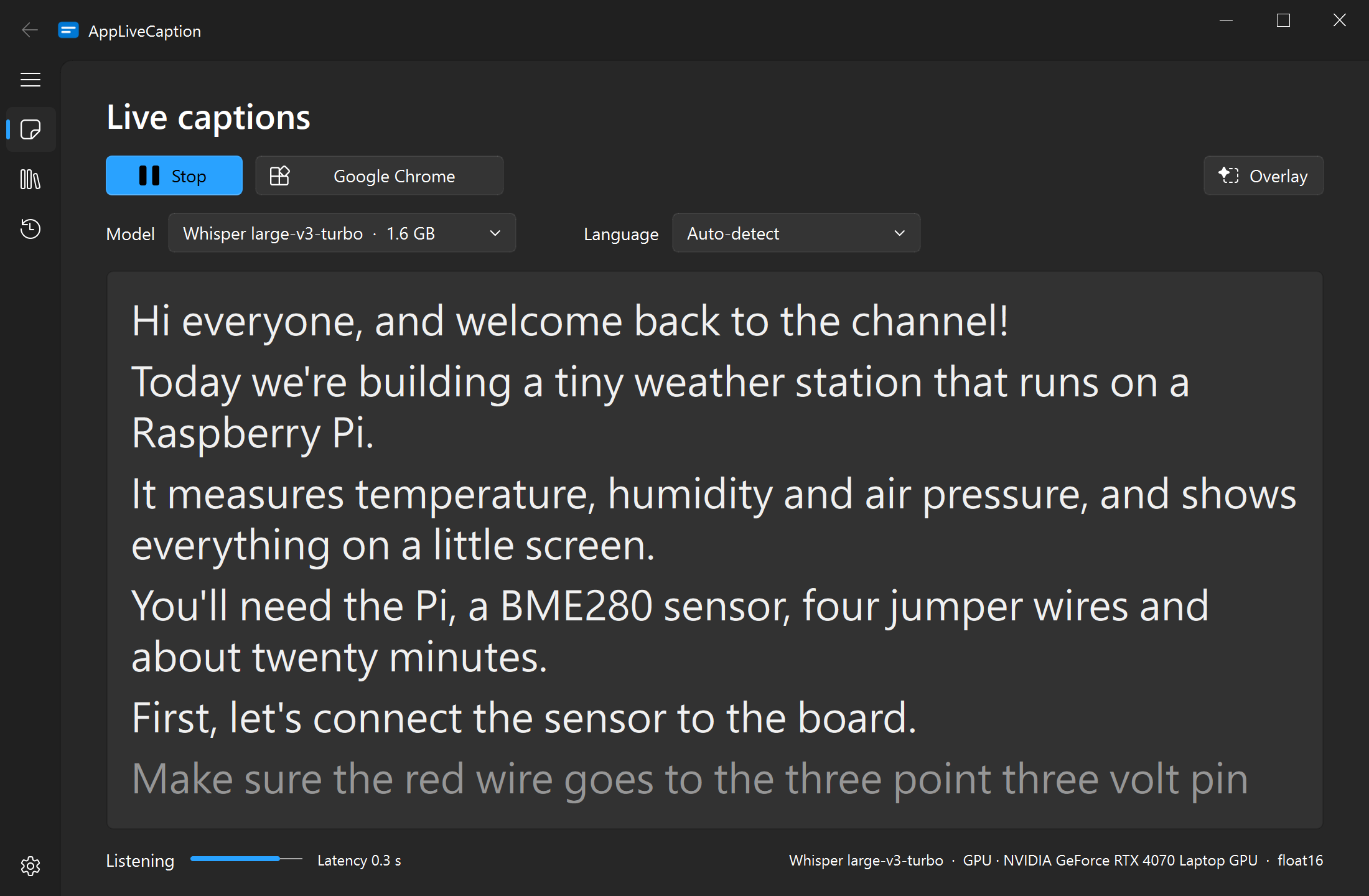
Made for videos, meetings, games and lectures, in English, Mandarin and the languages of Taiwan.
Your microphone, everything playing on the PC, or only the apps you tick (Chrome, Teams, VLC, …), mixed together.
Captions update while someone speaks and settle into a final line when they pause.
An always-on-top caption bar for videos, games and calls. Drag it anywhere, resize it, or let clicks pass through it.
Speech is recognized on your PC and never uploaded. No account, no cloud.
Whisper from tiny to large-v3 and turbo, plus models made for Taiwan: Breeze ASR 25 and 26, and Taiwan Tongues. Add your own from Hugging Face or a folder, and remove the ones you don't need.
Got an NVIDIA GPU? One click downloads GPU support and captions get many times faster. No GPU? It runs on the CPU too.
Simplified Chinese output is turned into Traditional (OpenCC s2twp), on by default.
Every session is saved. Copy it, or export it as TXT or SRT subtitles.
Install it in a click, no admin rights needed. Or take the portable zip: settings, history and models stay in its folder, even on a USB stick.

Turn on the overlay and the latest lines float above whatever you're watching or playing.
Fluent Design with Mica, light and dark mode, and your accent color.
Pick a model, choose what to listen to and press Start. The status line shows the latency and the device in use.
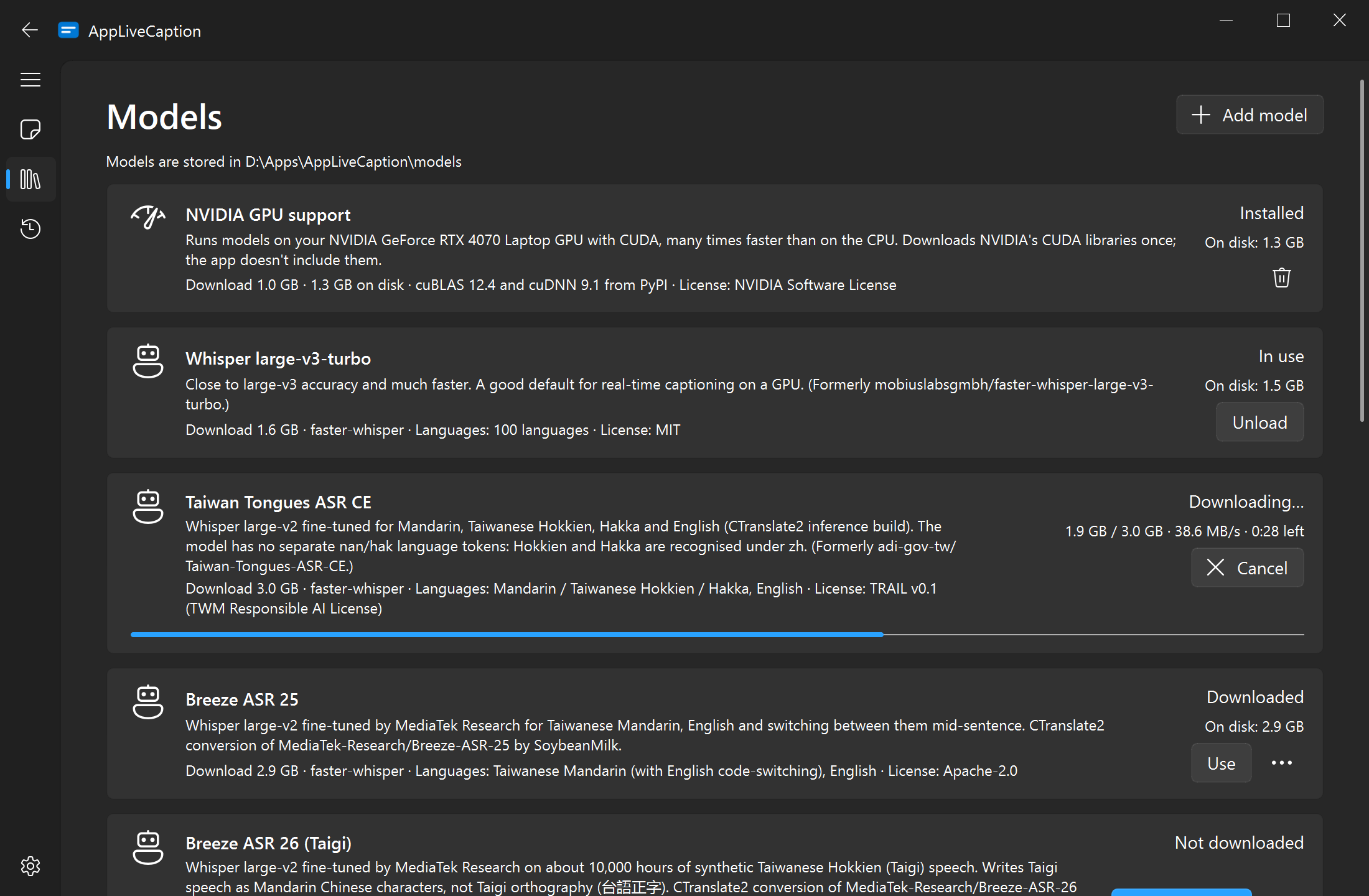
Download models with one click, add your own, see how much space they take, and turn on GPU support.
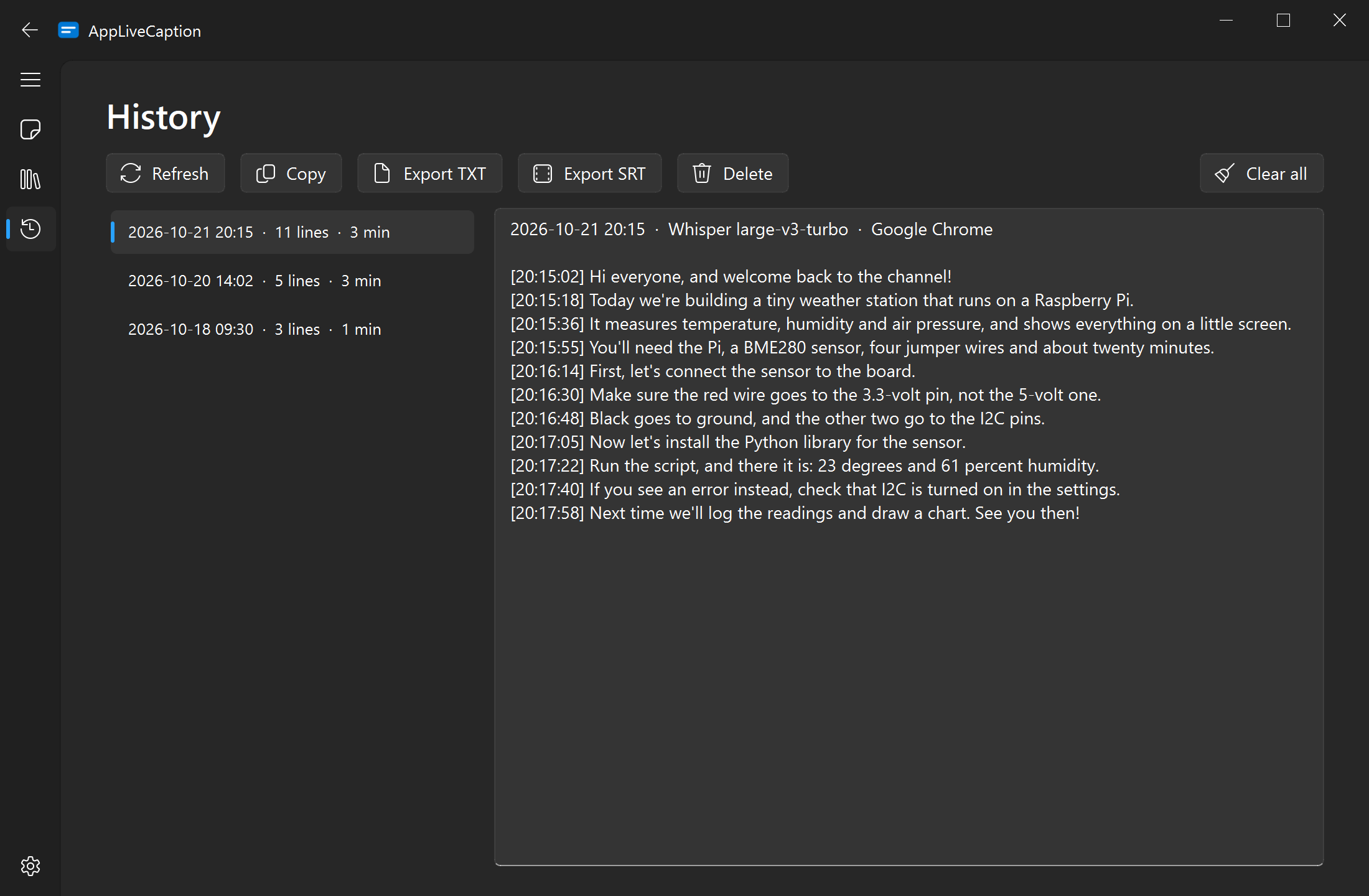
Every session is saved with timestamps. Copy it, or export TXT or SRT subtitles.
No Python and no account. Install it, or unzip the portable version and go.
Run the installer, or put the portable folder anywhere you like: Documents, another drive, a USB stick.
A short first-time setup suggests a model that's fast enough for your PC, downloads it, and offers GPU support if your NVIDIA GPU needs it.
Microphone, system audio, or just the apps you tick. Ticked apps are picked up whenever they start.
Captions appear as people talk. Turn on the overlay to keep them on top.
Every model runs on your PC. The app warns you when one will probably be too slow for real time.
The pick for an NVIDIA GPU with 6 GB or more
Close to large-v3 accuracy and much faster: partial captions in about 0.3 s on an RTX 4070 Laptop. 100 languages.
Taiwanese Mandarin, or Mandarin mixed with English
Fine-tuned by MediaTek Research for switching between Mandarin and English mid-sentence.
Taiwanese Hokkien (Taigi)
Trained on about 10,000 hours of Taigi speech. Writes it as Mandarin Chinese characters.
Hakka, Hokkien, Mandarin and English
Whisper large-v2 fine-tuned for the languages of Taiwan.
PCs without an NVIDIA GPU
Light enough for real time on the CPU, with good accuracy for clear speech.
Speech is recognized locally and never uploaded. The app goes online only when you ask it to:
Everything else, from starting the app to captioning, works without internet.
Windows 10 and 11, 64-bit. Captioning individual apps needs Windows build 20348 or later (in practice Windows 11); on older versions the microphone and system audio still work.
No. Without an NVIDIA GPU, models run on the CPU; pick Whisper base or small for real time. With an NVIDIA GPU and a recent driver, download GPU support (first-time setup offers it, or use the Models page) and use the bigger models.
Only to download models and GPU support, and when you check for updates. After that it works completely offline.
Installed, it uses your Windows profile: settings and transcripts in %APPDATA%\AppLiveCaption, and logs, models and GPU support in %LOCALAPPDATA%\AppLiveCaption. Uninstalling lets you choose which of them to delete. The portable version keeps everything next to AppLiveCaption.exe, so moving or deleting its folder moves or removes everything.
Yes. Choose Apps as the source and tick the apps you want; only their audio is used, optionally mixed with your microphone.
No. It writes down what is said, in the language it's said in. Translation and speaker identification are out of scope.
Nothing. AppLiveCaption is free and open source under the GPL-3.0 license. The speech recognition models are made by their authors and come with their own licenses, shown on the Models page.
Yes, it's vibe-coded! I built it with Claude Code, Anthropic's AI coding assistant, running Claude Opus 5.5. Without this amazing tool, I wouldn't have been able to build the app I wanted in such a short time.

Free for Windows 10 and 11. Install it and you're ready.
Prefer not to install? Get the portable zip